Mainnet
Bridge from Ethereum or Base
You can bridge your existing $MOCA from Ethereum or Base to Moca Chain with Stargate, powered by LayerZero. Bridging works in both directions, so you can also move $MOCA from Moca Chain back to Ethereum or Base.1
Connect your wallet
Go to stargate.finance and connect your wallet.
2
Choose the route
Select $MOCA on Ethereum or Base as the source, and Moca Chain as the destination.
3
Confirm the transfer
Enter the amount, review the fee, and confirm the transaction in your wallet.
4
Receive on Moca Chain
Your $MOCA arrives on Moca Chain within a few minutes. You can track the transfer on LayerZero Scan.
When you bridge out of Moca Chain, some wallets label the amount as ETH on the confirmation screen. The amount is in $MOCA and includes the bridge fee.
Available on Exchanges
Currently $MOCA is available on various centralized exchanges. For more information please refer to Coin GeckoTestnet
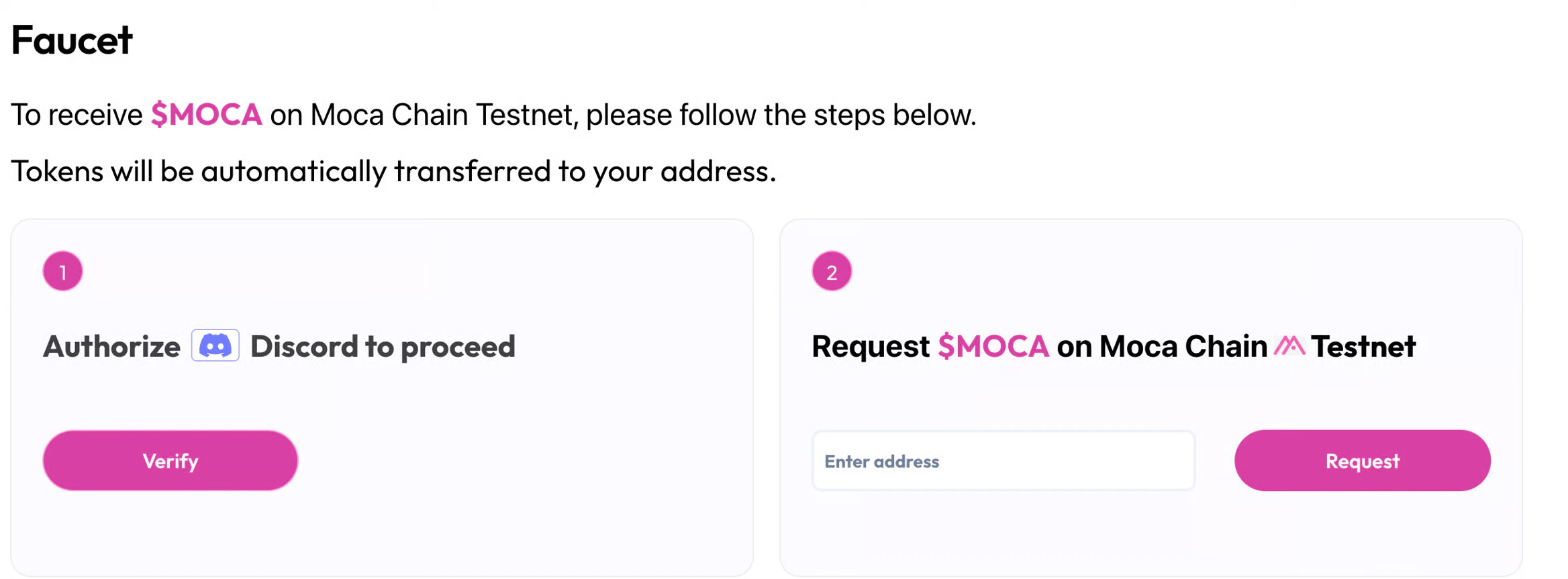
Go to the Testnet Faucet.- Verify on Discord (this is done to reduce botting)
- Then enter your address then click Request
Note that you can only request from our faucet once every 24 hours.